
A different approach to sitting
Vision Chair vs Aeron vs Leap: Ergonomic Chairs and Elevated Seating
Herman Miller Aeron, Steelcase Leap, and the Levitask Vision Chair compared: how two classic ergonomic chairs and an Elevated Seating design differ, in one table.
A comparison by Levitask. Product information checked October 24, 2026.
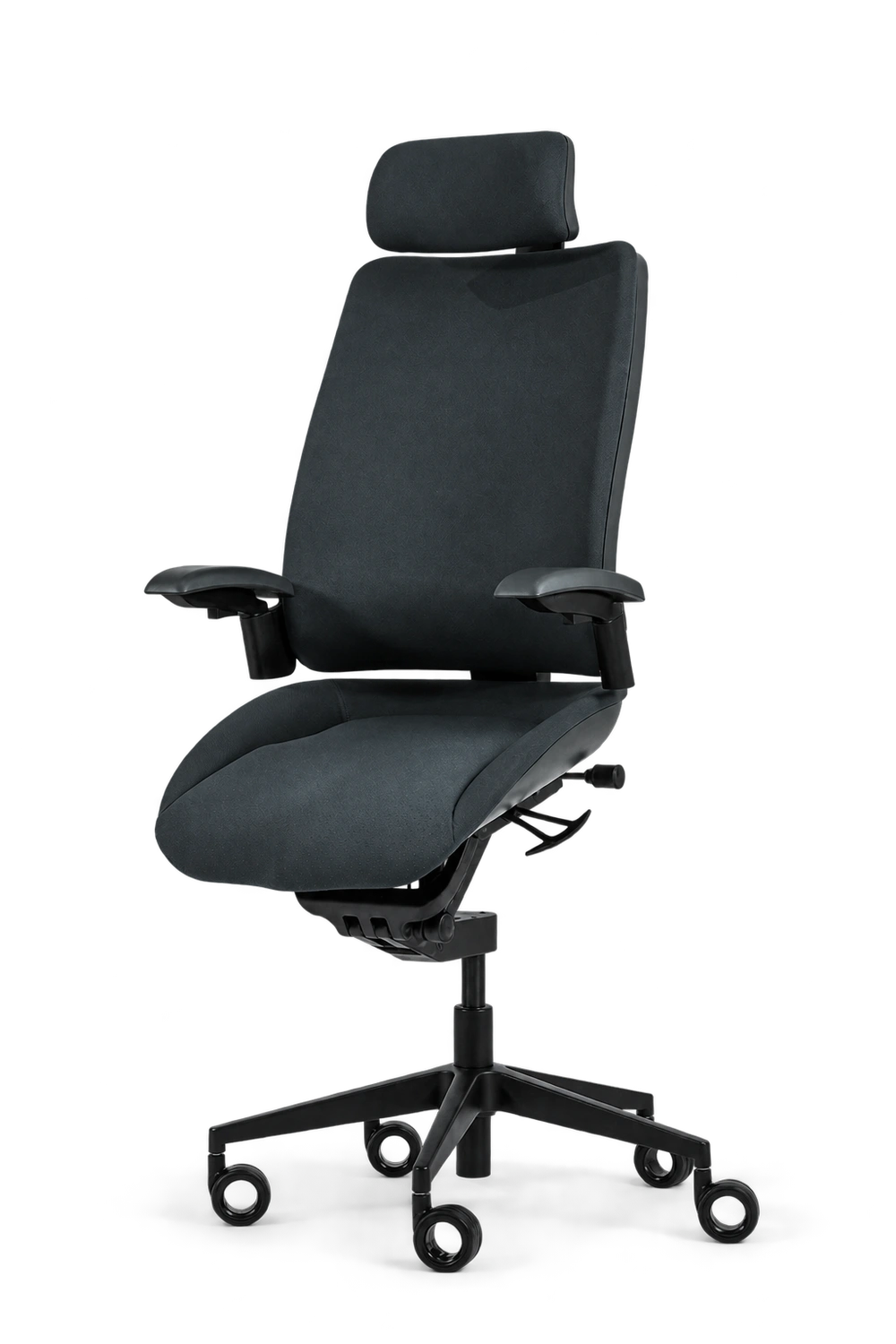
Put these three chairs in the same room and you are looking at different approaches to desk work. The Herman Miller Aeron and Steelcase Leap are established ergonomic chairs, built around adjustable support and movement between upright and reclined sitting. The Levitask Vision Chair makes a raised, forward-angled working position central to its design: Elevated Seating.
That makes fit, movement and desk compatibility more useful comparisons than a single “best chair” verdict. If you want familiar seated support, Aeron or Leap may suit you well. If you want to explore a more open working posture at a taller desk, Vision offers a different approach.
Neither Aeron nor Leap holds everyone at a fixed 90-degree hip angle. Both recline, and Aeron offers an optional forward seat angle. A chair’s backrest angle is also not the same measurement as the angle between a person's torso and thighs. Those distinctions matter when comparing the designs.
Vision Chair vs Aeron vs Leap at a glance
| Feature | Herman Miller Aeron | Steelcase Leap | Levitask Vision |
|---|---|---|---|
| Main approach | Mesh seating with upright and reclined support. | Adjustable upholstered seating with a flexible backrest. | Elevated, everyday and reclined positions linked through T-Mech™. |
| Forward working position | Optional Seat Angle Adjustment provides a 5° forward tilt. | Adjustable seat depth and back support; a different mechanism from Vision’s elevated mode. | Seat inclination up to 18° forward; designed for a 115–125° open body angle in Elevated Seating. |
| Fit | Three chair sizes; select a size and adjustment package. | Adjustable seat depth, lumbar height and lower-back firmness; arm options vary. | Vision X with adjustable headrest or Vision Y without; short or tall standpipe options. |
| Seat and back | Suspended mesh. | Upholstered seat and flexible LiveBack® backrest. | Upholstered seat and back; Anti-Slip Matrix™ on the seat. |
| Desk setup | Match the chair, keyboard and monitor to your seated working height. | Match the chair, keyboard and monitor to your seated working height. | For Elevated Seating, pair with a height-adjustable desk, or a suitable desk riser with an adjustable monitor. |
| Worth considering if… | You prefer mesh and one of the three sizes fits you. | You prefer an upholstered chair with several fit adjustments. | You want an elevated working position and can adapt your desk to it. |
Competitor details reflect the makers' published information and vary by configuration, region and revision. Check the exact chair you intend to order. Sources: Herman Miller’s Aeron buying guide, Steelcase’s Leap product information and Vision Chair specifications.
What Aeron and Leap do well
Fit is a useful place to start. Aeron approaches it through three sizes and a suspended mesh seat and back. Back-support and tilt options depend on configuration. Choosing the right size is an important part of choosing the chair.
Leap approaches fit through adjustment: seat depth, lumbar height, lower-back firmness and recline resistance. Its LiveBack backrest is designed to flex as you move; available four-way arms adjust in height, width, depth and pivot. Check the selected configuration, since not every Leap has the same arms or upholstery. Steelcase
Both are designed to support changes in seated position. Vision’s point of difference is its elevated working mode, rather than a claim that conventional ergonomic chairs cannot move or open the hip angle.
What changes with Elevated Seating?
Vision combines a raised, forward-angled seat with a linked backrest. Its seat inclines up to 18 degrees forward of flat, and the patent-pending T-Mech™ guides the seat around a knee-centred arc. Levitask describes the elevated working posture as a 115–125-degree open body angle.
The intention is to support a more open position while keeping the chair beneath you as you move. Actual posture depends on your proportions, adjustments and working setup; a mechanism cannot guarantee one body angle for every person or task. Vision also offers everyday and reclined positions, so Elevated Seating is one part of its range.
Research on seating and posture helped inform this approach. Keegan’s 1953 paper examined the relationship between seating and the lumbar curve. Mandal’s 1981 work explored forward-sloping seats and changes to the work surface. These historical studies provide context; they are not clinical trials of Vision or head-to-head evidence that it prevents back pain better than Aeron or Leap. Keegan, Mandal
For more on the design, read what we mean when we say the angle never closes.
Your desk belongs in the decision
Elevated Seating raises your working position. Pair Vision with a height-adjustable desk; a suitable desk riser with an adjustable monitor is an alternative. The keyboard, mouse and screen all need to meet you at the right height. Raising only the screen will not solve a keyboard that sits too low.
Aeron and Leap can be used at conventional seated desk heights, provided the setup fits the user. They can also be used at a sit-stand desk. For all three, check that you can reach the keyboard comfortably and support your feet. OSHA’s workstation guidance
If your desk cannot rise and a suitable riser is not an option, Vision’s elevated mode may not be a practical fit. Review the desk and fit checklist before ordering.
Which approach would you choose?
Choose Aeron if you prefer suspended mesh, one of its sizes fits you, and its available support and tilt options meet your needs.
Choose Leap if you prefer upholstery and want to tune seat depth, lumbar support and recline. It is worth trying if adjustment across several contact points matters to you.
Choose Vision if you want to explore a more open, elevated working position and can give the chair the desk setup it needs. Compare Vision X and Vision Y for headrest preference and fit, as well as appearance.
Try the chair in your real working position: use a keyboard, read, reach and change posture. Notice whether your feet stay supported, whether you can reach comfortably and how the chair follows you. A short showroom impression cannot tell you everything about a full working day. OSHA recommends trying different chairs and adjusting the whole workstation.
Frequently asked questions
Is Vision an ergonomic chair like Aeron and Leap?
All three aim to support desk work. They differ in their mechanisms, adjustment options and working positions. Levitask calls Vision’s raised, open-hip working position Elevated Seating. “Ergonomic” on its own does not tell you whether a chair fits your body and desk.
Which is best for lower-back pain?
There is no universal winner, and this specification comparison does not establish a medical benefit for any of the three. Comfort depends on individual fit, adjustment, activity and the cause of discomfort. Try the chair where possible, vary your position and seek individual advice for persistent pain. NHS guidance on seating and ergonomics
Do I need a special desk?
Aeron and Leap do not specifically require an elevated work surface, although your desk must still fit your seated height. For Vision’s Elevated Seating mode, use a height-adjustable desk or a suitable desk riser with an adjustable monitor. Check the whole setup before ordering.
Why does Vision cost more than some office chairs?
Vision’s design includes the T-Mech mechanism, a linked seat and backrest, and the Anti-Slip Matrix seat surface. Price alone does not establish comfort or superiority. Compare your selected configurations, delivery terms and fit requirements; see the Vision configurator for current prices. Aeron and Leap pricing also varies by configuration and region.
Keep exploring
For a broader look at the options, read our forward-tilt chair vs standard ergonomic chair comparison and complete guide to alternative seating.